Record verifications
The Record verifications module is used to track the quality and accuracy of data stored in Xolmis. Verification ensures that records are reliable, consistent, and suitable for scientific analysis. Each verification is performed by a researcher and stored as an audit trail, helping maintain transparency and accountability in collaborative projects.
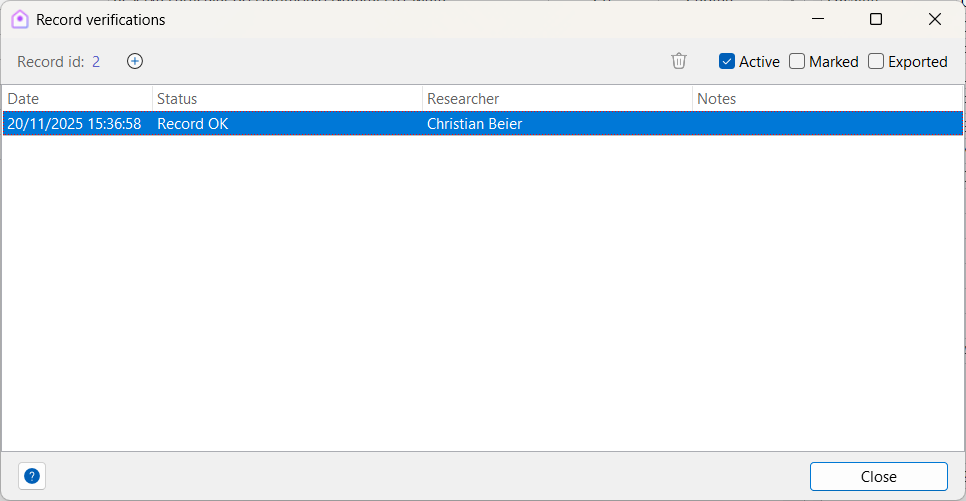
Adding a verification
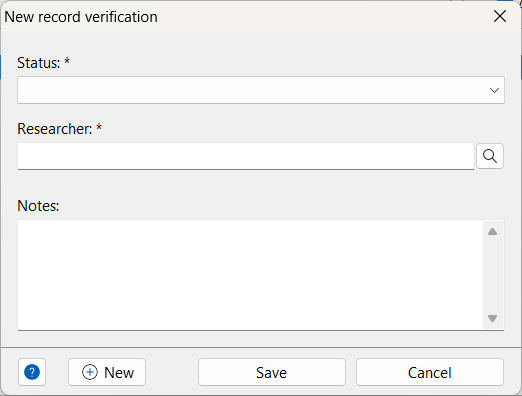
When creating a verification record, the following fields are available:
| Field | Required | Description |
|---|---|---|
| Status | Yes | General status of the record (see details below) |
| Researcher | Yes | Person who reviewed and verified the record (selected from the Researchers table) |
| Notes | Review details or any other information about the verification |
Status options
The status field indicates the outcome of the verification process. Each option helps identify specific issues or confirm that the record is correct:
- Record OK – The record has been reviewed and is correct.
- Wrong taxon – The taxonomic identification is incorrect.
- Wrong location – The locality information is incorrect.
- Wrong coordinates – The geographical coordinates are inaccurate.
- Wrong measurement – A measurement (e.g., length, mass) is incorrect.
- Wrong value – A general value in the record is incorrect.
- Missing data – The record is incomplete and requires additional information.
- Duplicated record – The record is a duplicate of another entry.
- Inconsistent data – Values in the record conflict with each other or with external references.
- Suspect record – The record seems unusual or doubtful, requiring further investigation.
- Out of range – A measurement or value is outside the expected biological or logical range.
- Obsolete record – The record is outdated or superseded by newer information.
Best practices
- Always assign a researcher: Verifications must be linked to a responsible reviewer for accountability.
- Use notes for context: Document why a record was flagged or corrected to help future reviewers.
- Be specific with status: Choose the most accurate status option to avoid ambiguity.
- Review critical fields first: Taxon, locality, and coordinates are essential for ecological analyses.
- Re-verify after corrections: Once a record is updated, perform a new verification to confirm accuracy.
- Maintain consistency: Apply the same verification standards across all modules to ensure data integrity.
Relation to other modules
Record verifications are interconnected with several parts of Xolmis:
- Individuals – Verify banding, sex, and age information.
- Captures – Check measurements and capture details.
- Sightings – Confirm taxon identification and detection type.
- Surveys – Validate locality, coordinates, and sampling methods.
By using record verifications, Xolmis provides a structured quality control system, ensuring that ornithological data is trustworthy and ready for scientific research.